Two full syllabuses
The OWASP Top 10:2025 for web (A01–A10) and the OWASP Top 10 for LLM Applications 2025 (LLM01–LLM10). Twenty risks, each its own module, each with a theme-aware SVG diagram drawn for that specific failure.
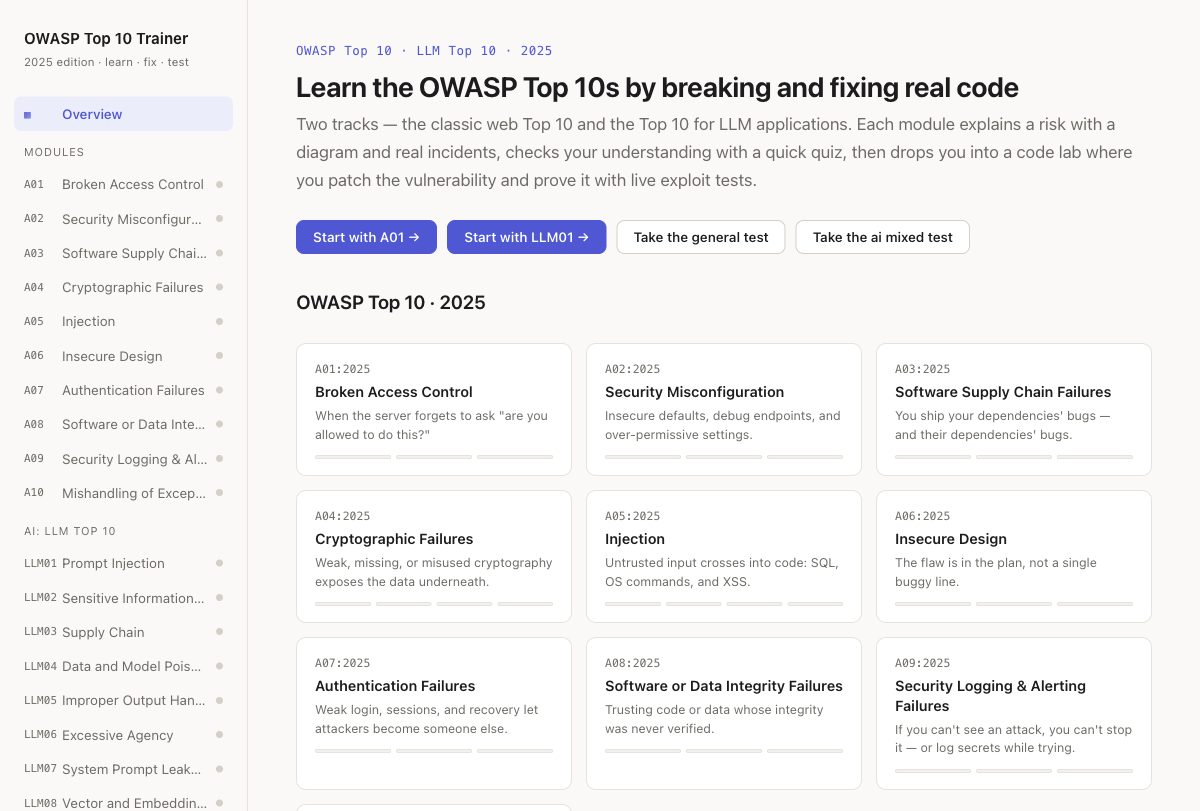 Both tracks on one shelf, with per-module progress at a glance.
Learn, quiz, fix
Each module is three tabs. Learn is a plain-language explanation, a diagram, and two real incidents (First American's 885M-record IDOR, the USPS API, and their equivalents). Quiz locks in the concept with explained multiple choice. Code lab is where you earn the tick.
Labs that fight back
Every lab ships a vulnerable starter, a hidden set of exploit tests, and a reference solution. The tests fire actual attacks: IDOR ids, SQL injection strings, XSS payloads, alg:none JWTs. A lab passes only when the hole is closed and the legitimate path still works, so you can't paper over it by breaking the function. There's a contract behind this: the starter must fail the exploits and the solution must pass them, checked automatically.
A mixed test per track
After the modules, each track has a "spot the vulnerability" exam that shuffles questions across all ten of its categories with no lesson sitting right before each one, and scores you per category with links back to whatever you missed.
Optional cross-device progress
By default everything is saved in the browser. Sign in with an email (a one-click magic link, no password) and your progress follows you to another machine. It's strictly opt-in; signed out, the trainer is exactly the offline app.